Generation History
Click Jobs to open the bulk generation history panel. This panel shows recent generation jobs and keeps generated archives available for 24 hours.
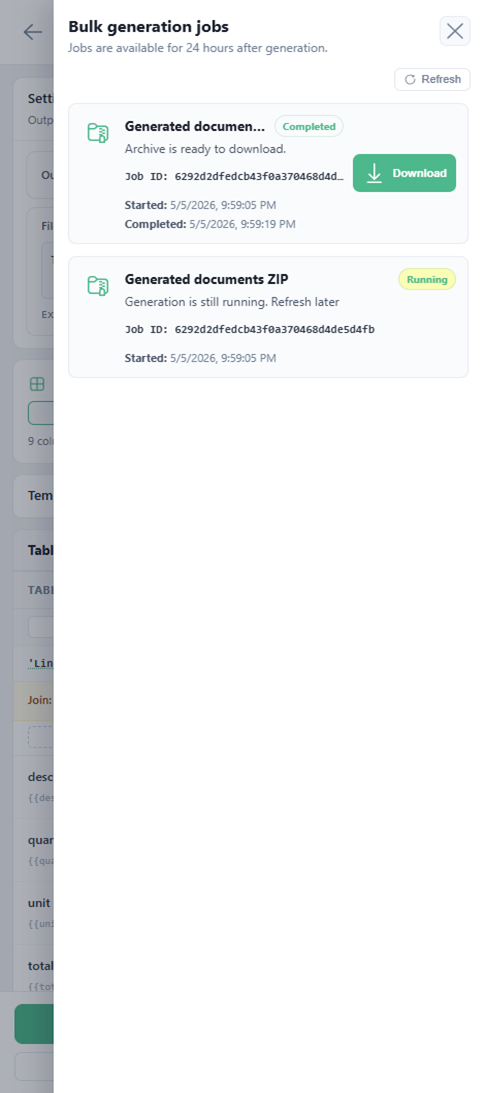
In the screenshot, job statuses are:
| Status | Meaning |
|---|---|
| Running | The generation request is still processing. |
| Completed | The archive is ready and can be downloaded. |
When a job is completed, click Download to get the generated archive.