Repeating Section
What is a Repeating Section?
A Repeating Section Content Control is a container that allows a block of content to be repeated multiple times within a document. This block can include text, tables, and other content controls.
You typically use repeating sections when you need to handle dynamic or variable-length data.
For example:
- Lists of products in an invoice
- Multiple tasks in a report
- Work experience entries in a CV
A repeating section allows users (or the system) to dynamically add or remove instances of the same structure.
How it works
A repeating section acts as a dynamic container.
- It wraps a block of content (for example, a table row)
- It allows duplication of that block
- Each duplicated instance contains its own set of content controls
When the document is generated, the system fills each repeated block with corresponding data.
When to use Repeating Sections
Use repeating sections when you need to:
- Collect multiple entries of the same type of data
- Display a variable number of records
- Avoid manually duplicating content in templates
- Keep documents clean and scalable
Avoid using repeating sections for static content that does not change.
Creating a Repeating Section in Word
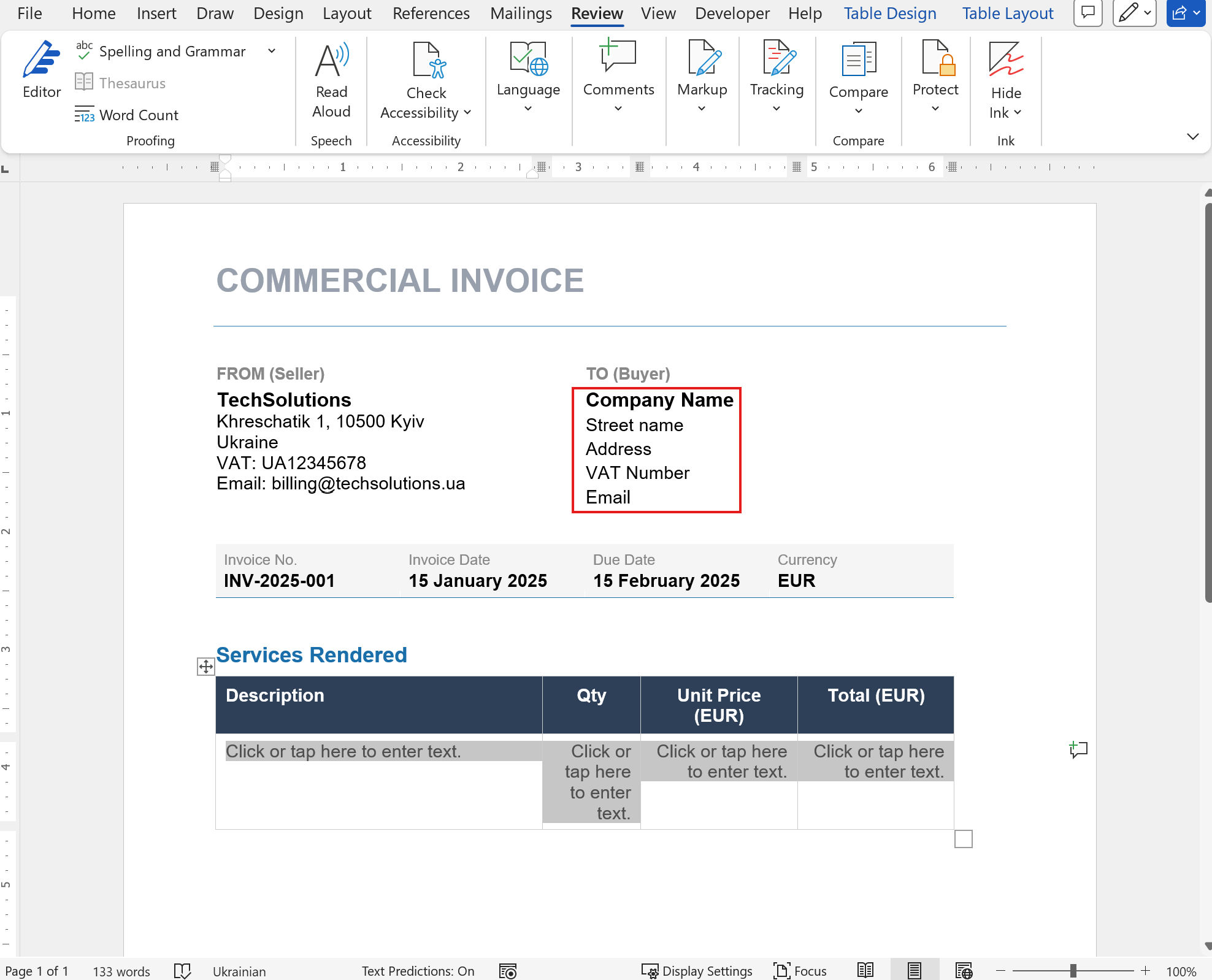
Step 1: Add static content
Add all non-repeating content controls (e.g., Company Name, Address, etc.)
Step 2: Create a table structure
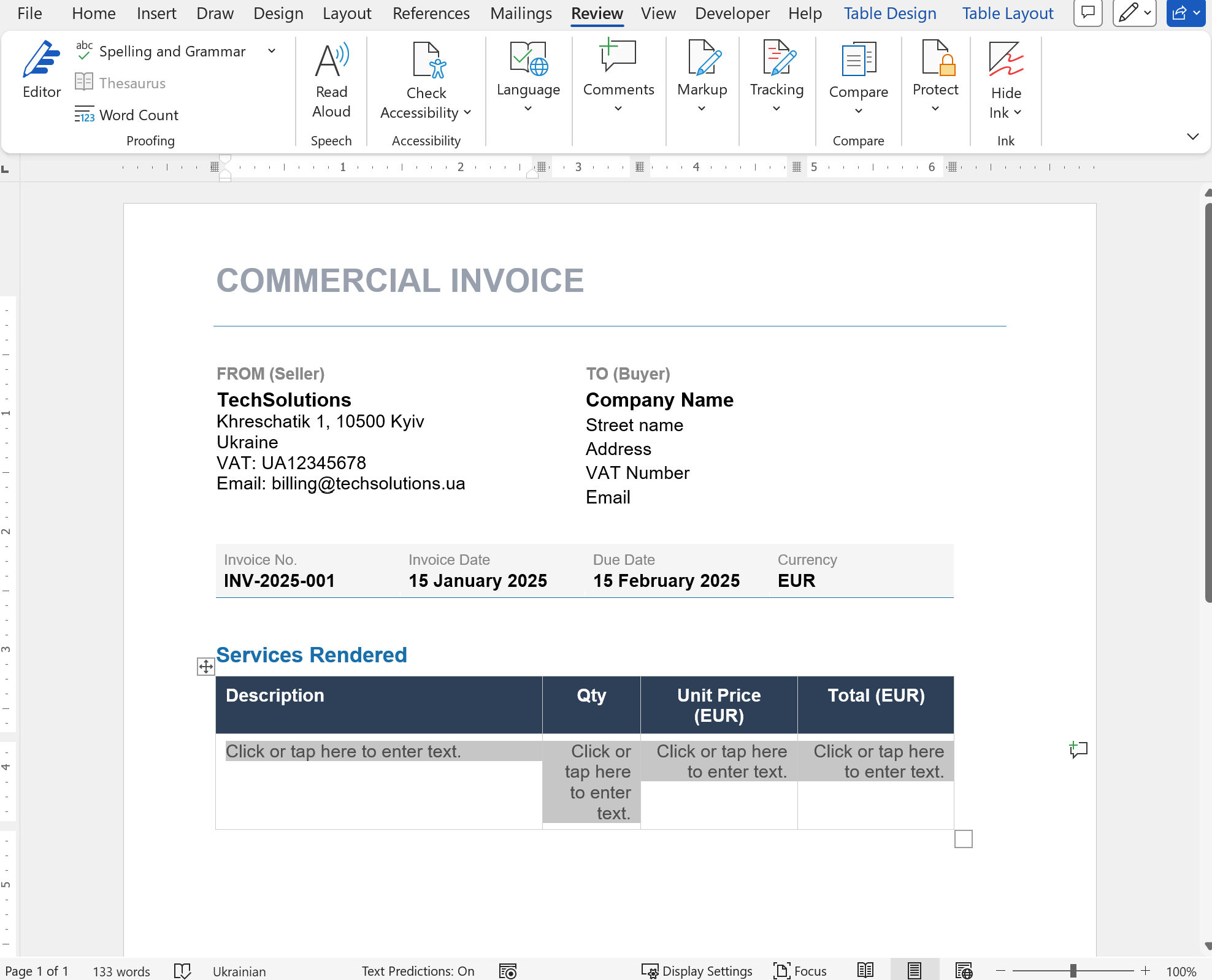
- Create a table with:
- 2 rows
- Required number of columns
- First row → headers
- Second row → add Plain Text Content Controls
- Set Title and Tag for each control
Step 3: Apply Repeating Section
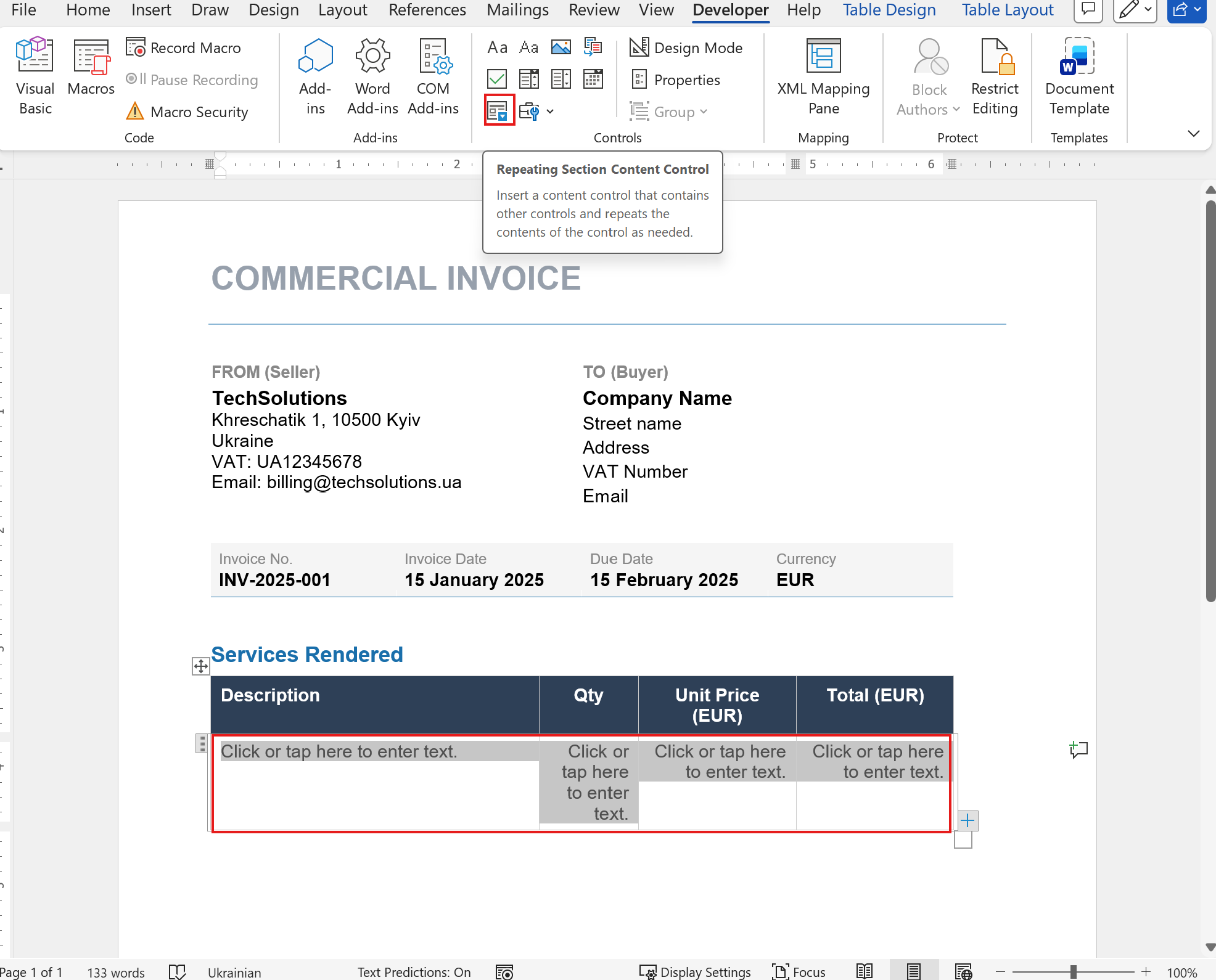
- Select the entire row with content controls
- Go to the Developer tab
- Click Repeating Section Content Control
Step 4: Configure properties
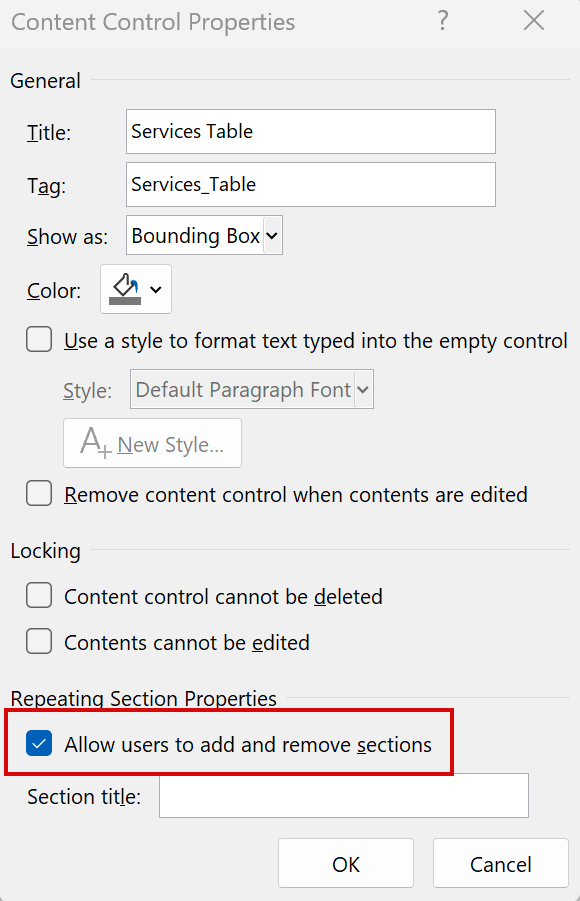
- Select the repeating section
- Click Properties
- Enable: Allow users to add and remove sections
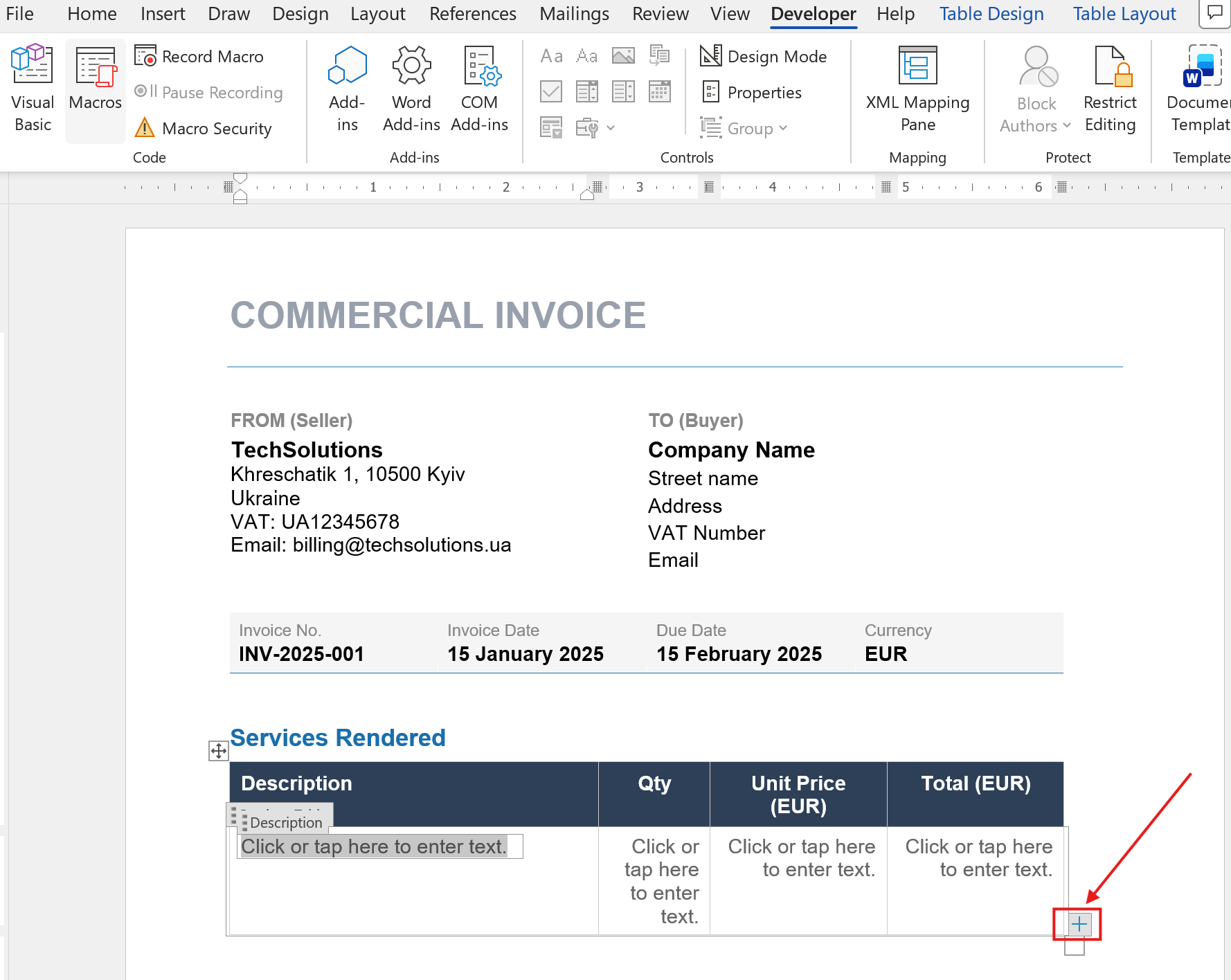
Step 5: Result
A plus (+) icon will appear, allowing users to dynamically add new sections.
💡 Common use cases
-
Invoices & Purchase Orders
Add unlimited line items (product, quantity, price) -
Project Status Reports
List multiple tasks and deadlines -
Employee CVs
Add multiple work experience entries -
Forms & Surveys
Allow users to submit multiple entries -
Asset Management
Add multiple assets with details
🔄 Related controls
- Repeating Table – Alternative for table-based data
- Section – Groups controls but cannot repeat
- Optional Section – Hidden until user enables it
- List Control – Simple repeating list
- Master/Detail Control – Linked data views
💡 Tip
Think of a repeating section as a loop in your document.
If your data is an array — you should use a repeating section.