Naming conventions
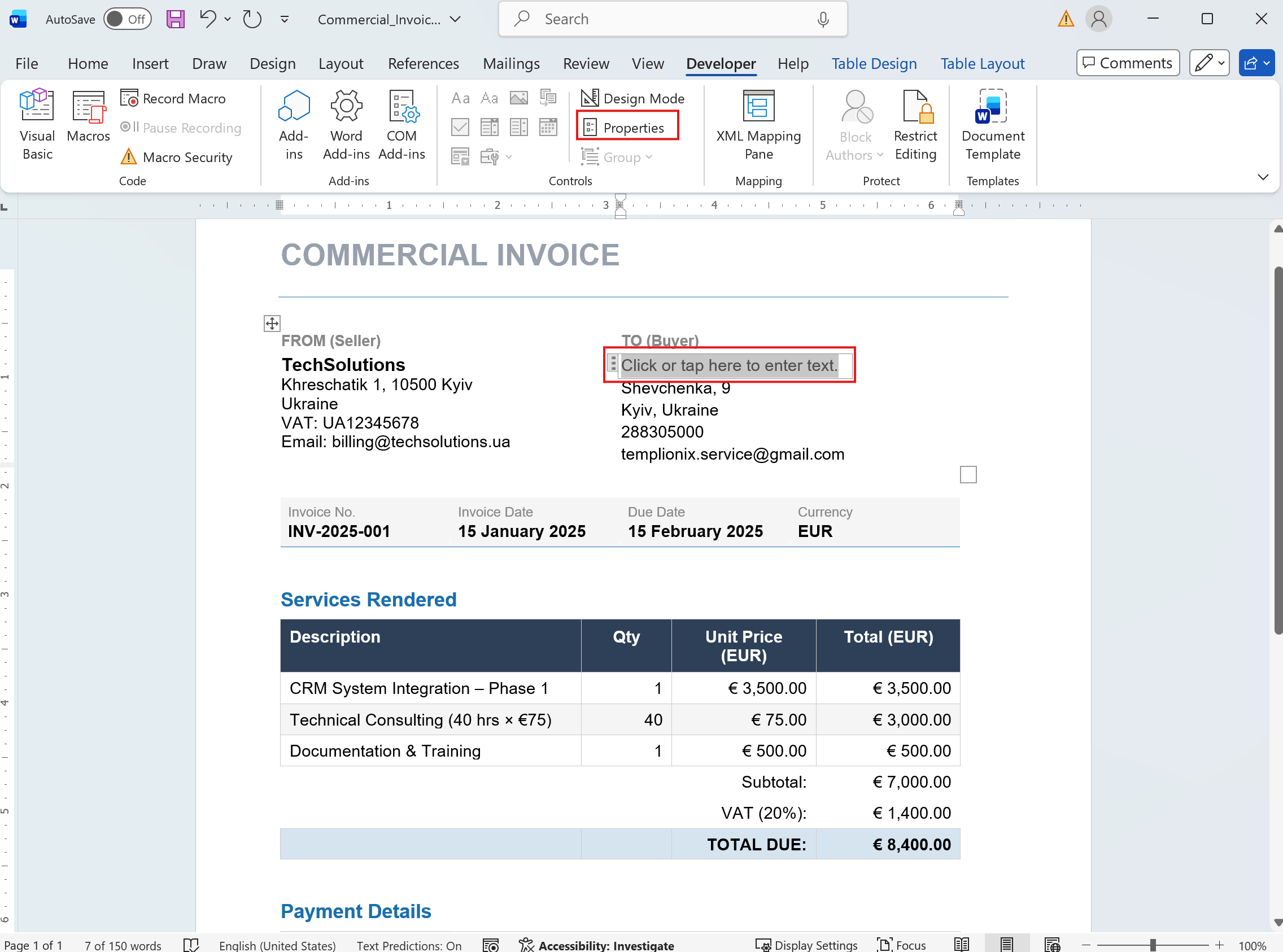
Every placeholder must have a Title and a Tag. These properties are essential for identifying and mapping data correctly.
Follow these steps:
1. Open Content Control Properties
- Right-click on the content control
- Select Properties
2. Set Title and Tag
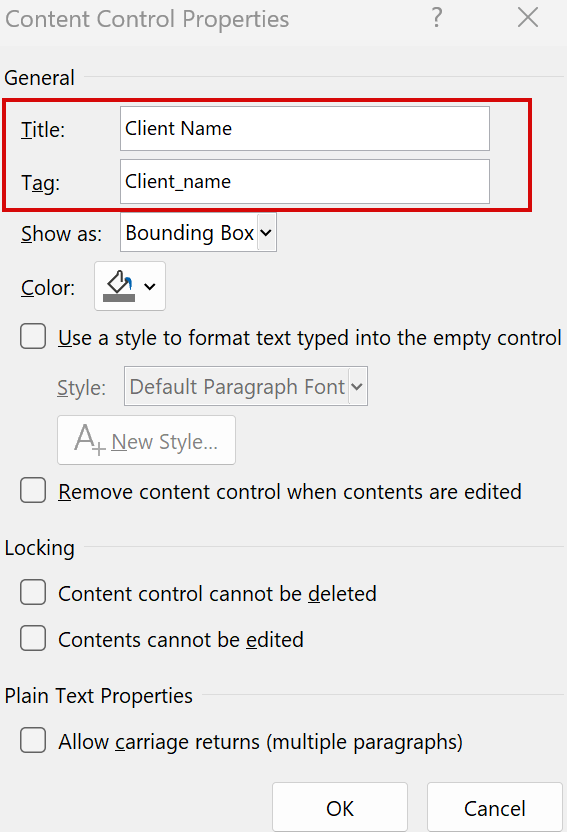
- In the Content Control Properties window:
- Set the Title (for readability)
- Set the Tag (used by the system for data mapping)
- Click OK
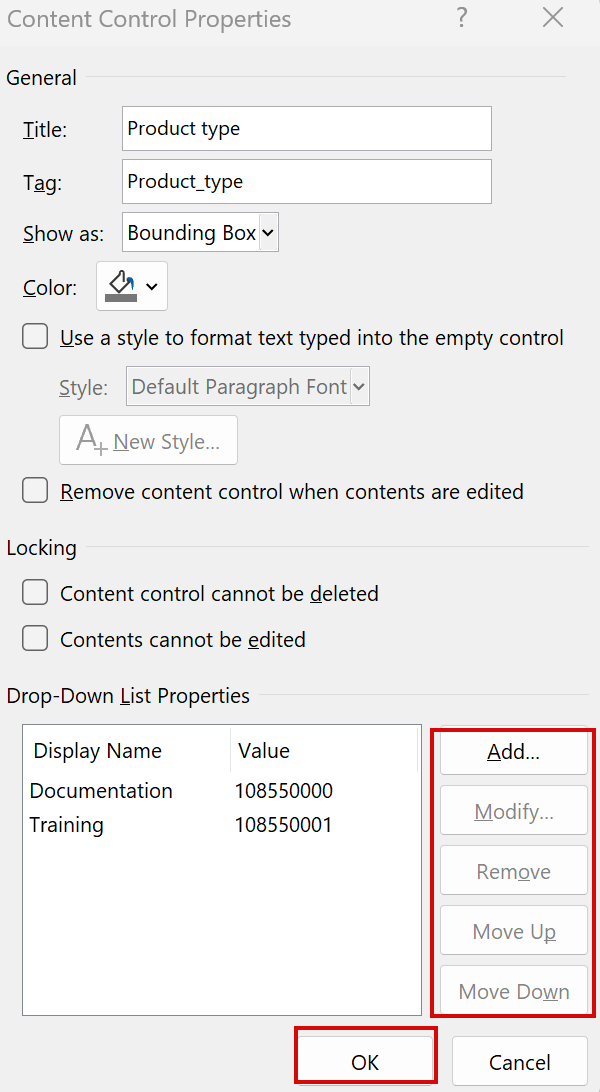
3. Configure Drop-Down List values (if applicable)
- For Drop-Down List Content Controls:
- Add values using the Add button
- Modify or remove items using Modify and Remove
- Click OK to save changes
💡 Best practices
- Use clear and consistent naming for Tags (e.g.,
customer_name,invoice_date) - Avoid spaces in Tags — use
_orcamelCase - Keep Titles human-readable and Tags system-friendly
- Do not leave Tags empty — this will break data mapping
⚠️ Important
The Tag field is used by the system to insert data into the document.
If the Tag is missing or incorrect, the placeholder will not be populated.